> For the complete documentation index, see [llms.txt](https://docs.motorica.com/llms.txt). Markdown versions of documentation pages are available by appending `.md` to page URLs; this page is available as [Markdown](https://docs.motorica.com/documentation/style-cloning/reference/style-cloning-ui.md).
# Style Cloning UI
Reference for the dashboards within Style Cloning.
## Style Cloning Dashboard
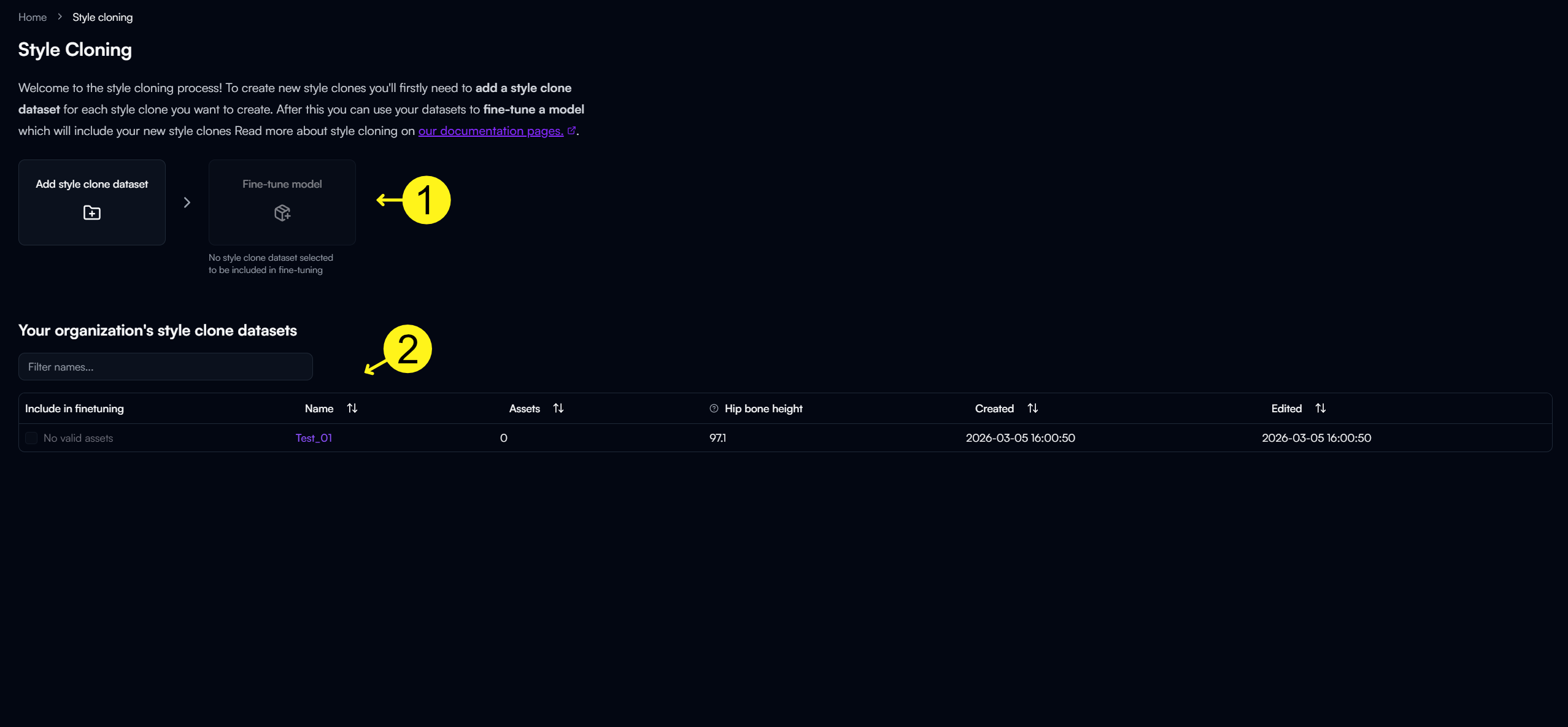
Infographic of the Style Cloning dashboard.
1. Buttons for creating a style clone dataset and for fine-tuning a completed dataset to generate a style clone.
2. A searchable table containing all of your organization's created style clone datasets and their associated information.
## Dataset Dashboard
1. Buttons for uploading animation files to your dataset and for viewing animation file guidelines.
2. A status section that displays after uploading animation files to your dataset. When the progress bar is red, we recommend viewing the rest of your animations directly in the dashboard to ensure a high-quality dataset.
Example of a completed Dataset Checkup progress bar.
3. The uploaded assets table has three top-level buttons: one for searching for assets via filenames, another for deleting selected assets, and a final button for editing the extracted root motion data from uploaded animations. Check out our [Concepts](/learn/concepts/style-cloning.md#root-motion-extraction) and [How-To Guide](/documentation/style-cloning/how-to-guides/edit-an-animations-root-motion-data.md) on Root Motion Extraction for more information.\
\
This table includes important metadata information related to uploaded assets. For example, the table will display whether a file errors and must be fixed in your DCC to be used in Style Cloning generation, as well as displays warnings that can be fixed by editing the file's root motion data in the dashboard.